Where do you find billing in Pebble?
In short
- Billing is in Settings, on the Billing tab.
- Only people with See costs, quotes & invoices can see it.
- It lists your invoices and receipts, and lets you pay or view each one.
- If a payment is missed, new work orders pause until the balance is settled. Your records stay available.
Where is billing?
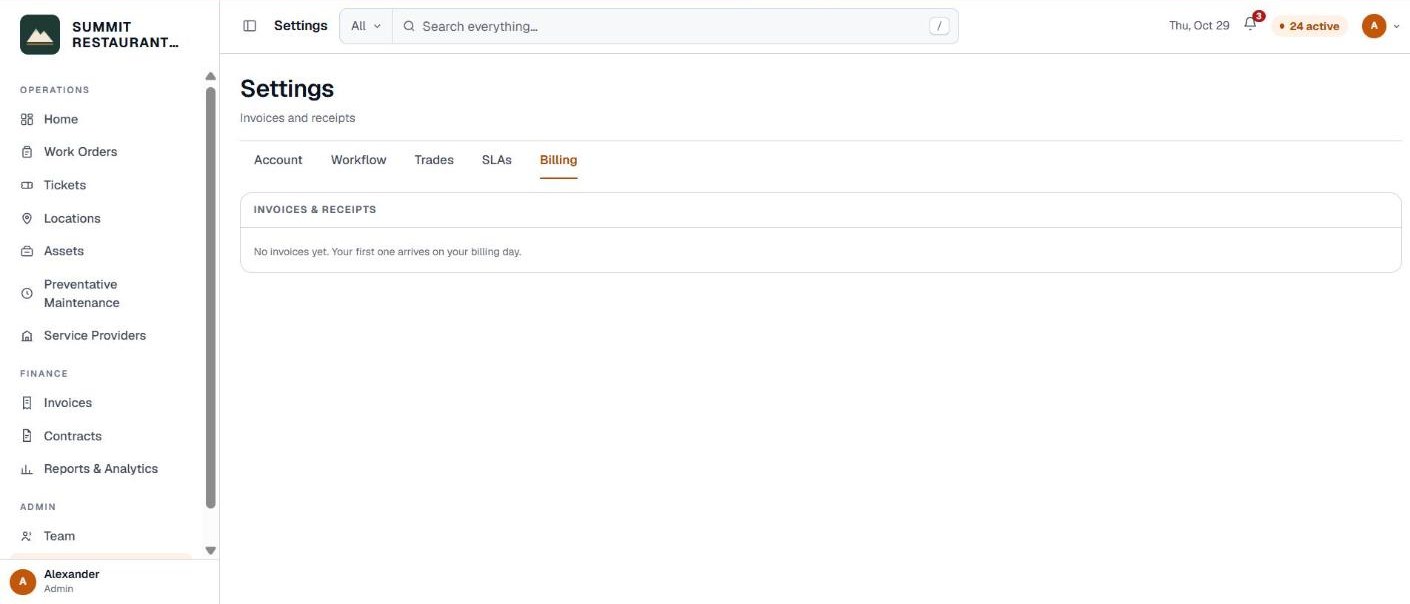
Go to Settings and open the Billing tab. It holds your invoices and receipts from Bedrock for Pebble.
The tab only appears for people with the See costs, quotes & invoices permission. Everyone else on your account doesn’t see it.
What does the Billing tab show?
- Invoices & receipts. One line per statement, with its period, its status and the total. Click a line to see the charges behind it.
- View invoice or View receipt. Opens the invoice, or the receipt once it is paid.
- Pay invoice. Shown when an invoice is waiting for payment.
If there are no invoices yet, the tab says so. Your first one arrives on your billing day.
How does automatic payment work?
If your account pays by card, the tab shows Automatic payment. Click Add a card and you enter it on the payment processor’s secure page. Bedrock never sees the number. Once it is on, your invoices are paid automatically on your billing day, and you can click Update card to change it.
What happens if a payment is missed?
- Payment past due. People who can see billing get a bar at the top: an invoice is unpaid, settle it to keep the account active. Nothing is blocked yet.
- Account paused. New work orders can’t be opened or dispatched until the balance is settled. Everything you already have stays available.
- People who can see billing get an Open Billing button in the bar. Everyone else is asked to contact their administrator.
If your bank reverses a payment, the Billing tab says so and shows a replacement invoice to pay. Paying it lifts the pause.
Who do you ask about a bill?
Contact Bedrock at (855) 721-0793 or info@bedrockfms.com, Monday to Friday, 8:30 am to 5:30 pm Eastern.
Related help
Bedrock Facility Solutions
Screens are from a demo account with made-up data.
Published 29 October 2026. Last reviewed 29 October 2026.