How do quotes, invoices and the DNE work in Pebble?
In short
- The DNE (do not exceed) is the most a provider can spend on a job without coming back to you.
- Anything above it needs a quote. You approve or decline it from Actions.
- When the work is done the provider sends an invoice. You approve it, or decline it with a reason.
- Approving quotes and invoices each need their own permission.
What is the DNE?
DNE stands for do not exceed. It is the most the provider may spend on a job without coming back to you. You set it when you open the work order, and you can see it on the Main tab of every job.
Work above the DNE needs a quote first. Your account can also set an approval threshold, so a quote over that amount needs an administrator to approve it. When one is set, the hint under the DNE field says so.
Changing a job’s DNE needs the Change a job’s DNE permission. Once a job is finished, its DNE can’t be changed.
How does a quote come in?
If the repair will cost more than the DNE, the provider moves the job to Pending Quote and prepares a quote. When they submit it, the job moves to Pending Quote Approval and the people who can approve spend are told.
Open the job and click the Quotes tab. You see the line items, the DNE, the Quote total, and how far it is over the DNE.
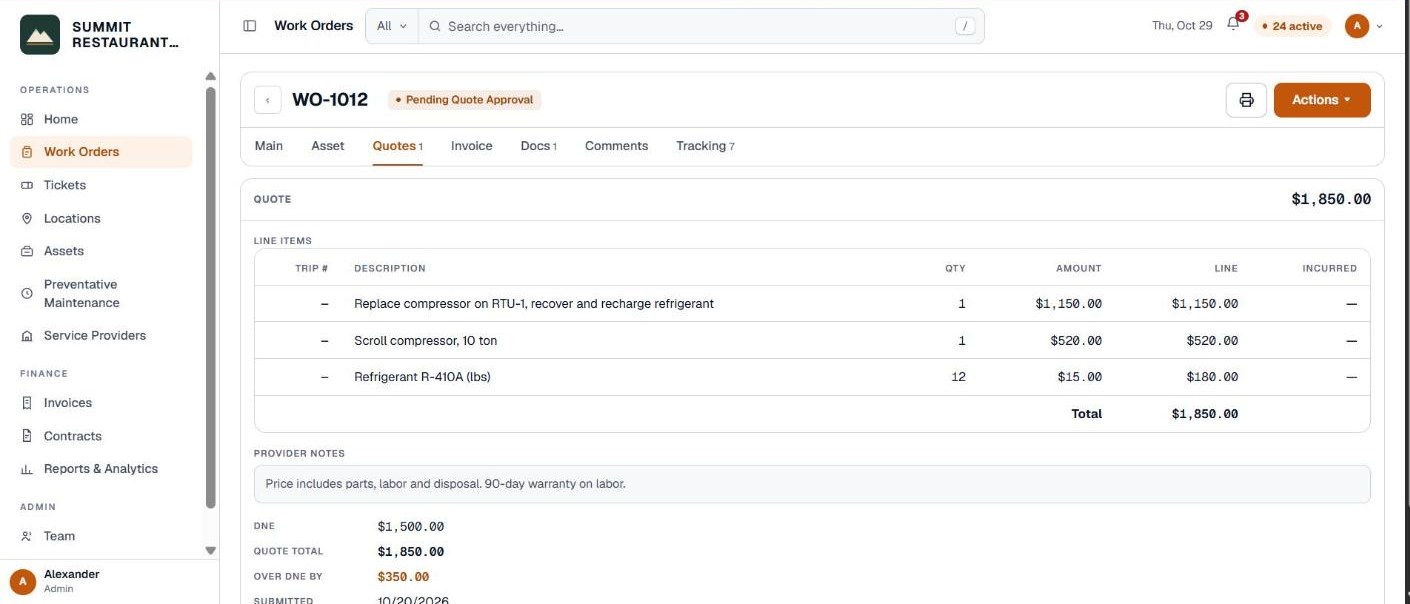
If the provider gives you a quote by phone, someone with the Approve quotes permission can enter it on the job. Otherwise the provider submits it from their side.
How do you approve or decline a quote?
Click Actions at the top right of the job.
- Approve quote. Pebble asks first and shows the amount. It also tells you if the DNE will go up to cover the quote. The job moves to Quote Approved and the provider can go ahead.
- Reject quote. Type why. The provider sees it. Then pick what happens next: Provider requote to ask for a revised quote, Quote rejected incurred if the work stops but some charges remain, or Follow up if a return visit is needed.
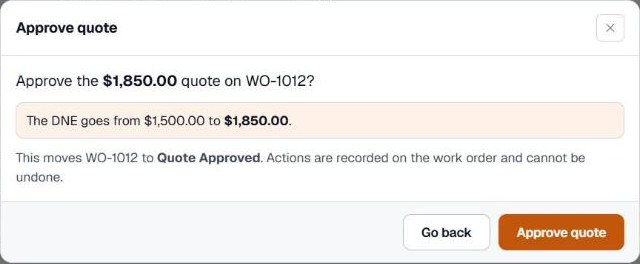
If you don’t have the Approve quotes permission, or the quote is over your account’s threshold, the step shows why it is locked. You can still add a comment for someone who can approve it.
How does an invoice come in?
When the provider finishes, the job moves to Verify Work Completion so your team can check the work. After that the provider sends the invoice and the job moves to Pending Vendor Invoice Approval.
The Invoice tab shows the work order total against the DNE, what is approved, what is waiting for approval, and how much is left under the DNE or above it.
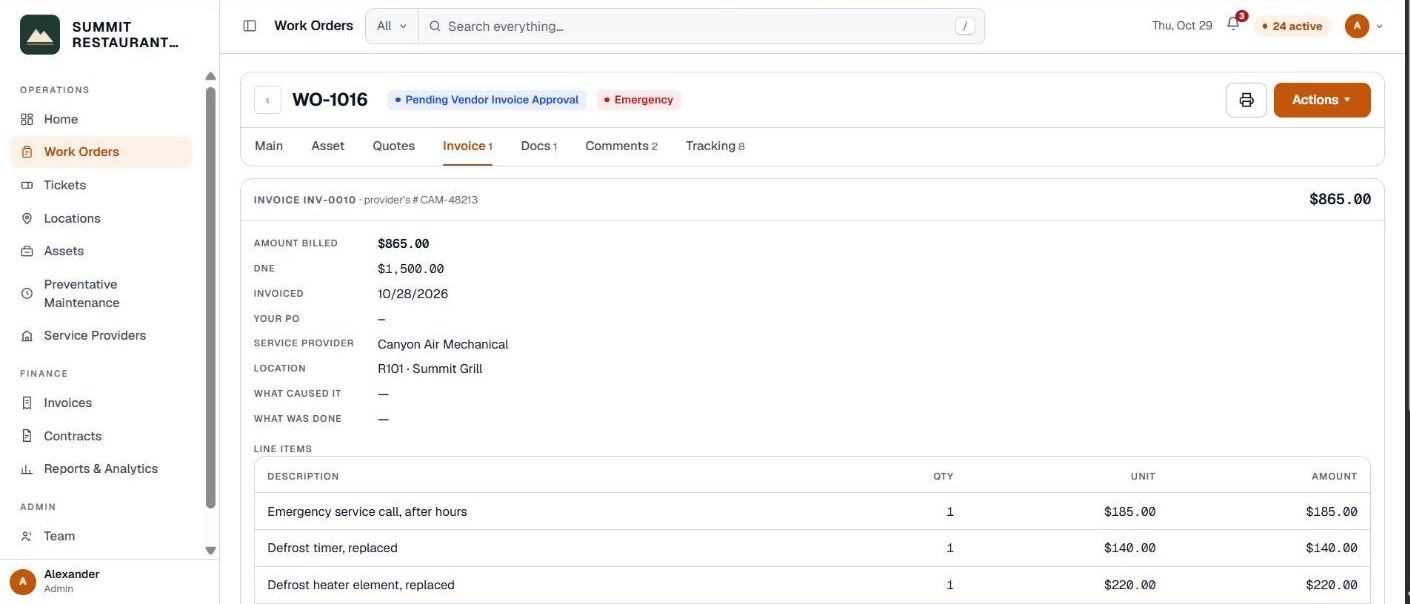
How do you approve or decline an invoice?
- Approve invoice. Pebble asks first and shows the invoice number and amount. The job moves to Invoice Approved.
- Reject invoice. Type why, for example that the invoice number is missing. The provider sees it, fixes the invoice and sends it again.
After approval, Process vendor payment moves the job to Vendor Payment Processing, and Mark as paid moves it to Paid. Pebble asks before each of these money steps. Approving invoices needs the Approve invoices permission, which the Billing role has by default.
Related help
Bedrock Facility Solutions
Screens are from a demo account with made-up data.
Published 29 October 2026. Last reviewed 29 October 2026.